Project management
Each group of drawing-process photos is managed as one project.
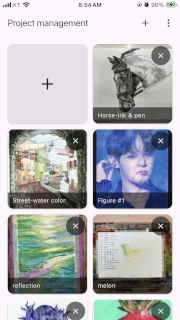
How to open it
Section titled “How to open it”The project list appears when you open the app. You can return to it from Project list in the vertical menu.
Create and open a project
Section titled “Create and open a project”Select Create new project, enter a name, and confirm. A project name must be between 1 and 64 characters. Select a project card to continue to Image selection.
Rename and delete
Section titled “Rename and delete”Long press a project name, then enter and confirm the new name.
Deleting a project also removes its corner data and video settings, and cannot be undone.
States and limits
Section titled “States and limits”- If the project list cannot load, read the message and try again later.
- A
Demobadge identifies a demo project.
Next step
Section titled “Next step”Open a new project and add process photos in Image selection.