Subscription
Purchase a subscription product or restore a previous purchase.
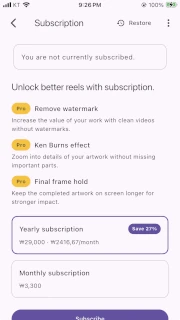
How to open it
Section titled “How to open it”Select Subscription from the vertical menu.

Or open it from the non-subscriber notice in Video output.
Subscription information
Section titled “Subscription information”Subscription information shows the current subscription status, current plan, remaining time, or subscription period.
For a non-subscribed status, the subscription information is displayed as follows.
For a monthly subscription status, the subscription information is displayed as follows.
Features available with subscription
Section titled “Features available with subscription”A subscription lets you use watermark removal, the Ken Burns effect, and final frame hold.
Purchase a subscription
Section titled “Purchase a subscription”After loading the product information, tap Subscribe for the monthly or annual plan you want. While the purchase is in progress, the button shows a preparing state.
Restore subscription information
Section titled “Restore subscription information”If you subscribed on another device or reinstalled the app, tap Restore purchase to check your previous purchase.
Status and errors
Section titled “Status and errors”Messages are shown during product list loading, when no products are available, for network errors, and for purchase cancellation or failure, as well as restoration failure. Check the network connection and try again. If the payment itself is the issue, check your app store support.
Next step
Section titled “Next step”Once the subscription is applied, return to Video output and review the Pro options and watermark policy.