Settings
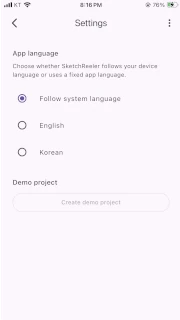
Change the app language and add a demo project if none exists.
How to open it
Section titled “How to open it”Select Settings from the vertical menu.
Change the language
Section titled “Change the language”Choose between Follow system language, English, and Korean. Manual selection is applied immediately and remains when you reopen the app. If you switch to follow the system language, the app uses the device language.
Demo project
Section titled “Demo project”The Create demo project button adds a demo project to the project list when none exists. If a demo project already exists, the Create demo project button is disabled.

Next step
Section titled “Next step”Created or restored projects can be opened in Project management.